
How to Calculate Your Loan Payoff Date (Step-by-Step)

Your loan payoff date is the point at which your remaining balance reaches zero, based on your interest rate, payment amount, and how consistently you pay. If you’re only making the scheduled payment, that date is fixed by your original loan terms. If you’re paying extra toward principal, it moves earlier — and figuring out by how much requires more than guesswork.
This article walks through exactly how a payoff date is calculated, the formula lenders use to build an amortization schedule, and a worked example showing how extra payments shift the timeline. It also covers the factors that can throw off a manual calculation, so you’re not caught off guard when your servicer’s numbers don’t match yours.
What Determines Your Loan Payoff Date
Five inputs decide when a loan is fully paid off:
- Principal balance — what you currently owe, not the original loan amount
- Interest rate — the annual rate, converted to a periodic rate for each payment
- Payment amount — your scheduled payment, plus any extra you’re contributing
- Payment frequency — monthly, biweekly, or another schedule
- How extra payments are applied — directly to principal, or held and applied to a future payment
Change any one of these, and the payoff date shifts. Most online estimates only account for the first four and skip the fifth, which is where a lot of confusion happens later.
The Formula Behind an Amortization Schedule
A standard fixed-rate loan uses this formula to set the regular payment amount:
M = P × [r(1 + r)^n] / [(1 + r)^n − 1]
Where:
- M = monthly payment
- P = loan principal
- r = monthly interest rate (annual rate ÷ 12)
- n = number of payments remaining
That formula gives you the payment amount for a fixed schedule. To find the payoff date once extra payments enter the picture, it’s easier to work forward month by month:
- Calculate the month’s interest: remaining balance × monthly rate
- Subtract that interest from the total payment to find how much reduces principal
- Subtract the principal portion from the balance
- Repeat until the balance hits zero
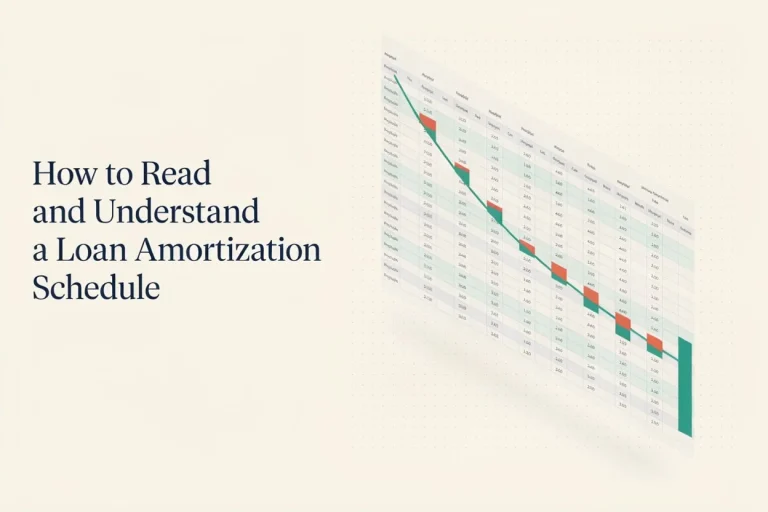
The month where the balance reaches zero is your payoff date. This is the same logic lenders and calculators use internally — an amortization schedule is really just this loop run out to the end of the loan term.
Step-by-Step: Calculating Your Payoff Date Manually
- Confirm your current balance. Use your most recent statement, not the original loan amount — interest has already been front-loaded against your early payments.
- Confirm your interest rate. Divide the annual rate by 12 to get the monthly rate. For variable-rate loans, note that this will change and any payoff date is only accurate until the next rate adjustment.
- Decide on your payment amount. Include your regular payment plus any extra you plan to add each month.
- Build the schedule row by row, using the four-step loop above, until the balance reaches zero.
- Count the months. Convert that number into a calendar date from your next payment.
Doing this by hand for a 30-year mortgage is tedious, which is why most people use a spreadsheet or a calculator rather than working out 360 rows manually.
Example Calculation
Assumptions:
- Remaining balance: $25,000
- Interest rate: 7% (fixed, annual)
- Remaining term: 5 years (60 monthly payments)
- Extra payment: $100/month, applied directly to principal
- Payments made on schedule with no missed months
Without extra payments:
At 7% over 60 months, the required monthly payment is approximately $495. Following the loan to term, it pays off in 60 months, with roughly $4,700 in total interest.
With an extra $100/month ($595 total payment):
Applying that extra amount directly to principal each month, the balance reaches zero in approximately 48 months — about 12 months earlier — with total interest reduced to roughly $3,560, a savings of around $1,100.
| Scenario | Payoff Time | Approx. Total Interest |
|---|---|---|
| Scheduled payment only | 60 months | ~$4,700 |
| Scheduled + $100/month extra | ~48 months | ~$3,560 |
These figures are illustrative, rounded to the nearest reasonable estimate, and assume every extra dollar is applied to principal on the day it’s received. Your actual numbers will shift based on your lender’s rounding conventions, exact payment dates, and whether interest accrues daily or monthly.
How Extra Payments Change Your Payoff Date
The mechanism is straightforward: interest is charged on your outstanding balance, so any extra amount that reduces that balance early also reduces every future interest charge calculated against it. Over dozens of payments, that compounding effect is what shortens the payoff timeline by more than the extra payment amount alone would suggest.
The catch is that this only works if the extra money is actually applied to principal immediately. If your servicer instead holds it and applies it toward your next scheduled payment, you’ll still save some interest, but nowhere near as much, and your payoff date won’t move the way a standard calculation predicts.
Important Factors That Affect Your Payoff Date
- How your servicer applies extra funds. Some require you to explicitly designate a payment as “principal-only.” Without that instruction, the money may sit as a credit toward your next due payment instead.
- Prepayment penalties. Less common than they used to be, but some loans — particularly certain personal, auto, or older mortgage products — charge a fee for paying off early or exceeding a set extra-payment threshold. Check your loan agreement or ask your servicer directly.
- Payment frequency. Switching from monthly to biweekly payments effectively adds one extra monthly payment per year, which shortens the payoff date even without any change to the amount you’re paying per period.
- Variable interest rates. Any payoff date calculated on a variable-rate loan is only accurate until the next rate reset. Recalculate after each adjustment.
- Timing of payment posting. A payment posted a few days late (or early) can shift how much interest accrues that period, especially on loans that calculate interest daily rather than monthly.
Common Mistakes When Calculating Payoff Date
- Assuming extra payments automatically go to principal. Confirm this with your servicer or check your account settings — it’s often not the default.
- Using the original loan amount instead of the current balance. This inflates the estimated time and interest remaining.
- Ignoring how interest accrues. Daily-accrual loans (common with auto loans and some mortgages) calculate interest slightly differently than loans that accrue monthly, which can throw off a manual calculation by a payment or two.
- Forgetting escrow or fees. For mortgages, your total monthly payment often includes taxes and insurance in addition to principal and interest — only the principal-and-interest portion affects your payoff date.
- Treating an online estimate as final. Ballpark calculators are useful for planning, but your servicer’s official payoff statement is the number that matters when you’re ready to close out the loan.
When Recalculating Your Payoff Date Makes Sense
It’s worth rerunning the numbers whenever something changes: after you make a lump-sum payment, after a rate adjustment on a variable loan, when you’re deciding whether to increase a monthly extra payment, or before a refinance so you can compare the new loan’s payoff timeline against staying on your current one.
Use the Loan Payoff Calculator to run these scenarios without building a spreadsheet from scratch — enter your current balance, rate, and any extra payment amount to see an updated payoff date and interest total.
Practical Steps to Get an Accurate Payoff Date Today
- Log into your loan servicer’s portal or check your latest statement for your exact current balance.
- Confirm your interest rate and whether it’s fixed or variable.
- Decide how much extra, if any, you plan to pay each month or as a lump sum.
- Run the numbers through a calculator or spreadsheet using the month-by-month method above.
- Call or message your servicer to confirm how extra payments are applied and whether any prepayment penalty applies.
- Request an official payoff quote once you’re close to your target date — this is the number your lender will actually honor, and it includes any per-diem interest up to a specific date.
FAQ
Does paying extra every month always beat one large annual payment? Not necessarily. Both reduce principal and save interest; the main difference is how early in the year the reduction happens. Paying monthly tends to save slightly more because the balance is reduced sooner and stays lower longer, but the gap is usually small compared to the benefit of making extra payments at all.
Will my lender tell me my exact payoff date if I ask? Yes — you can request an official payoff quote at any time, which is valid through a specific date and accounts for daily interest accrual. This is more precise than any calculator estimate and is what you’d use to actually close out the loan.
Can I change my mind about extra payments later? Generally yes. Extra principal payments are usually optional and don’t create an obligation to continue them, unless your loan has specific terms stating otherwise. Check your agreement if you’re unsure.
Does refinancing reset my payoff date calculation? Yes. A refinance replaces your loan with a new one, so the payoff date calculation starts over using the new balance, rate, and term — even if your old loan was close to being paid off.
Why doesn’t my manual calculation match my servicer’s numbers exactly? Small differences usually come from how interest accrues (daily vs. monthly), rounding conventions, or the exact date a payment posts. These add up to only a small variance and generally aren’t worth chasing down unless the gap is substantial.
Do biweekly payments actually shorten a payoff date, or is that a myth? It’s real, but the effect comes from making 26 half-payments a year (equivalent to 13 monthly payments) rather than from any special property of the biweekly schedule itself. You’d get a similar result by adding one extra monthly payment per year on your own.
Conclusion
Your loan payoff date comes down to four numbers — balance, rate, payment amount, and how extra funds are applied — run through the same month-by-month logic your lender uses internally. The manual calculation is useful for understanding what’s happening under the hood, but for anything beyond a rough estimate, running your specific numbers through the Loan Payoff Calculator will save time and reduce the chance of a rounding error compounding over dozens of payments. When you’re within a few months of your target date, request an official payoff statement from your servicer to get the exact figure you’ll need to close out the loan.



About Author
Blake is a personal finance blogger who writes about loan repayment strategies, debt management, and practical ways to pay off loans faster. He focuses on simplifying complex loan concepts using real-world examples and easy-to-use financial tools through LoanPayoffCalc.com. Learn More